


Learn About Digital Downs™
Welcome to Digital Downs™
What is Digital Downs?
Digital Downs is a play-to-earn virtual horse racing ecosystem created by Digital Downs, LLC. Players can race their virtual horses against other real-life owners for real money, breed their horses through a genetics system, and exchange their horses in a player-driven marketplace.
Horses in Digital Downs have varying lifespans, following an in-game calendar where four months in real life corresponds to one in-game year. Every in-game year a new “season” begins. Each season contains thousands of races for players to participate in ranging from entry-level maiden races to the highest graded stakes races. Digital Downs aims to recreate the excitement of real horse racing as it opens up the opportuniy and participation in the Sport of Kings to a broader world wide audience.
Using realism as a focal point, Digital Downs seeks to replicate the sport’s longevity through its advanced aging system, allowing renewed opportunities every season for skilled players to prove themselves on the track and for new players the opportunity to level the playing field.
Are you ready to start your virtual legacy?
Getting Started Pt.1
A great and very important question. Here are a few pointers to get you started quickly.
Step 1 - Account Signup
If you haven’t already, sign up for an account at DigitalDowns.us and log in.Step 2 - Free vs. Pay
Every new member who signs up at DigitalDowns.us gets 4 free Horses from our legendary Sales Ring
If you want to try things out and get a taste of the action, your 4 free horses are already waiting in your stable. If you’re here to Breed. Train. Win. some money keep reading.Note: FREE Horses are eligible to enter all races but can also be entered into free play races to get a feel for the game.
Step 3 - Buy DD Dollars (DD$)
DigitalDowns.us is more than just a virtual horse racing game; it’s a sport where horses race for real money. To move money easily, the in-game economy runs on DD Dollars (DD$) also known as "game credits". To start playing for money, you’ll need to pick some up. Don’t worry; DD$ can be cashed out at any time.
You can go directly to the funding page. Fund Your wallet
1,000 DD$ is equal to $1 USD
Buying a Horse Pt.2
Step 4 - Buying a Horse
Once you have some DD$, it’s time to buy your first horse. The are multiple places and ways to buy horses and our most popular is our Sales Ring.
Click the “Marketplace” tab on the top menu and look for "Horse Sales Ring". This should take you to a page like this:
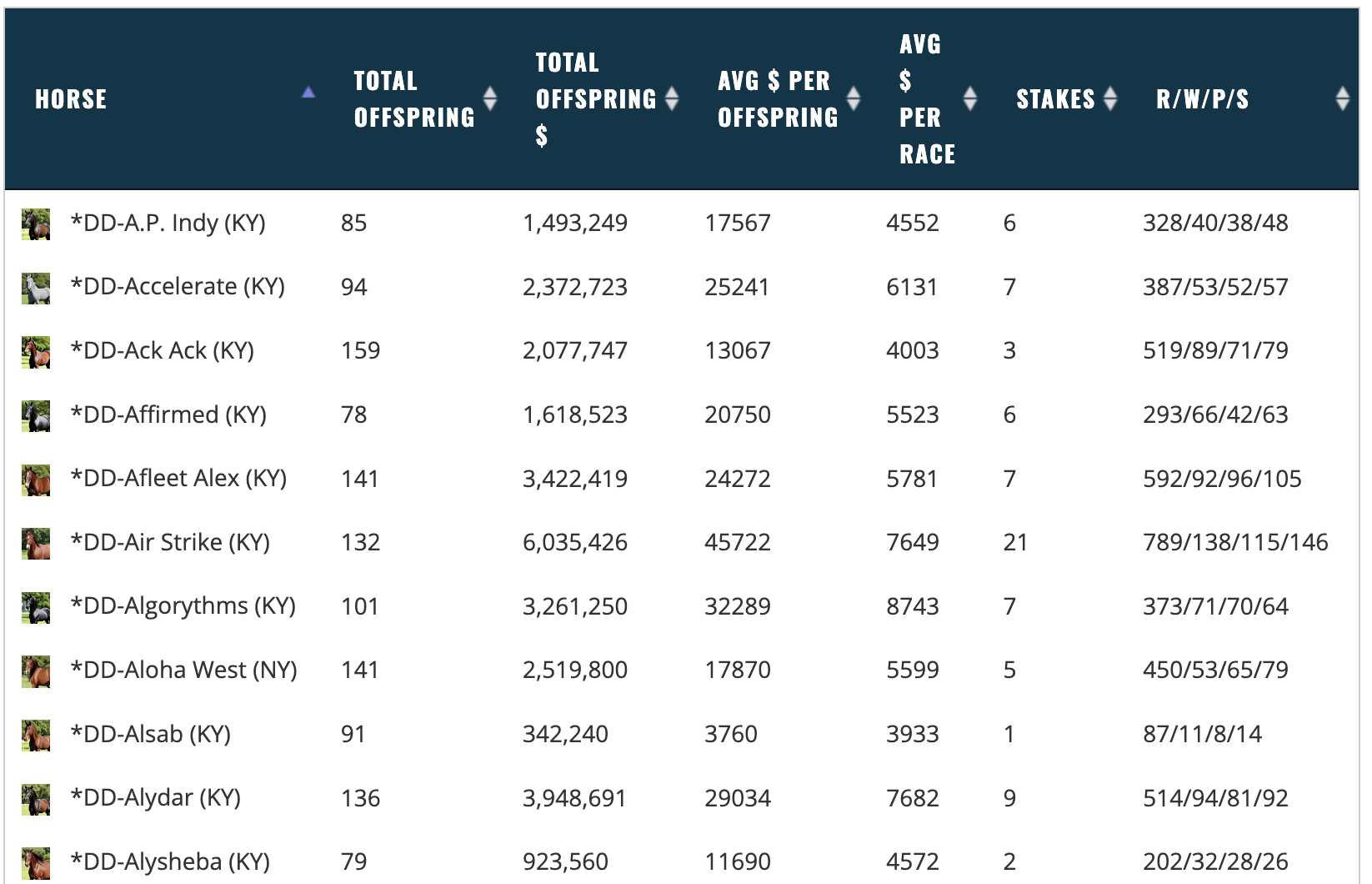
The sales ring is home to over 1,000 legendary sires and mares. Foals from the sales ring will be randomly born from a legendary pairing. You can purchase a single foal or larger quantities. The purchase section looks like this:
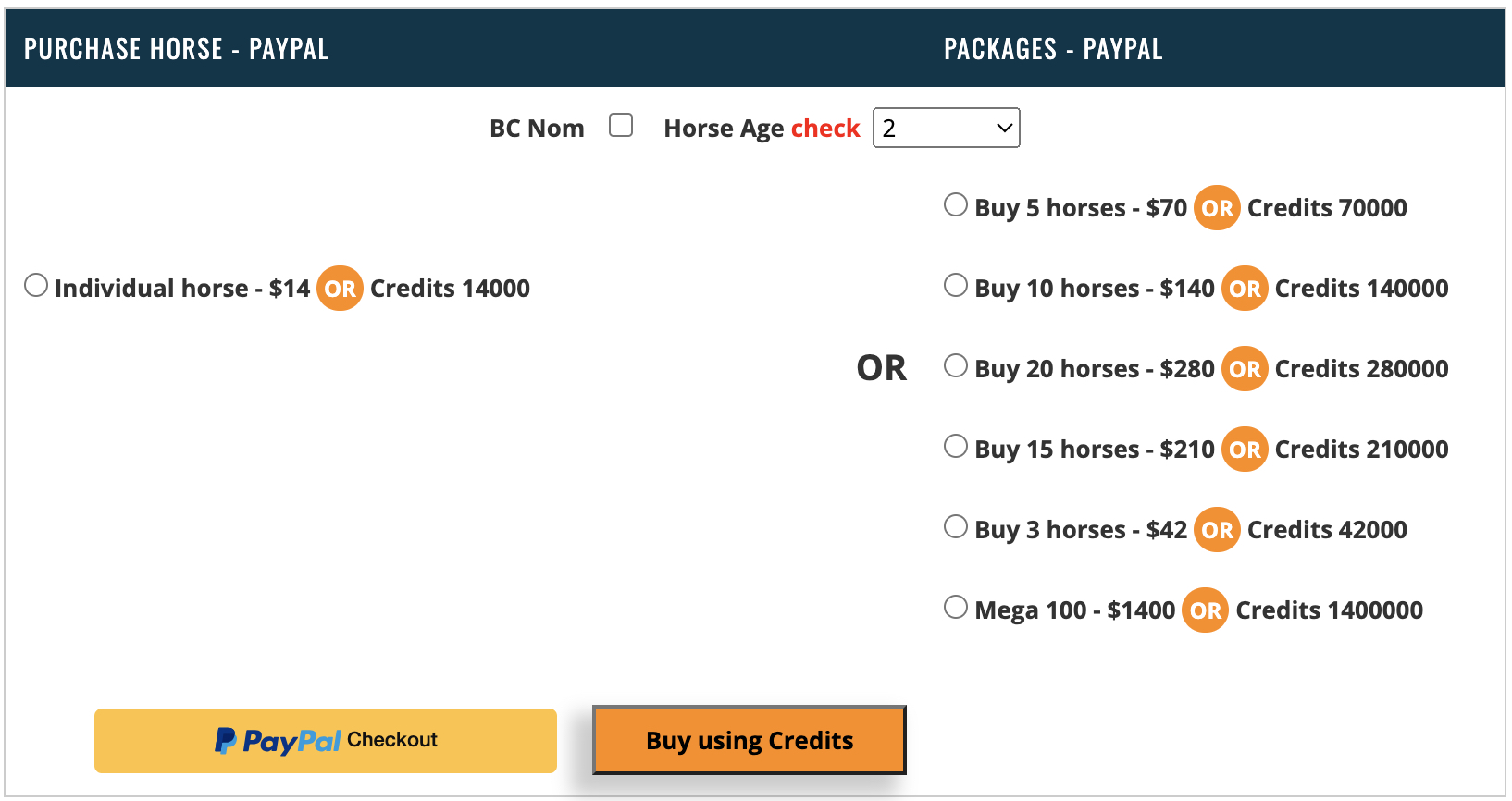
Sales rings purchases can be made with cash or DD$ (Game Credits) and each foal is $14 USD value
Before completing the purchase of your new foal, choose to EC nominate your horse for $1 or not. EC nominating a horse will make your new foal Elite Cup Championship eligible. We will cover the EC a bit more in detail later on in the help section.
Now that you have your first foal it's time to learn a little more about the horse. Continue to Getting Started Pt.3
Choosing a Race to Enter
How to select a race
After you have acquired your first horse it's time to race. Go to the top menu and choose main stable. This will bring up your default barn and show all horses that reside in that barn
Step 1 - Find and Name Your Horse
This will bring up a list of all the horses in your default barn. Click on your horse. If it isn’t yet named, name it.
Step 2 - Save Horse Preferences (optional)
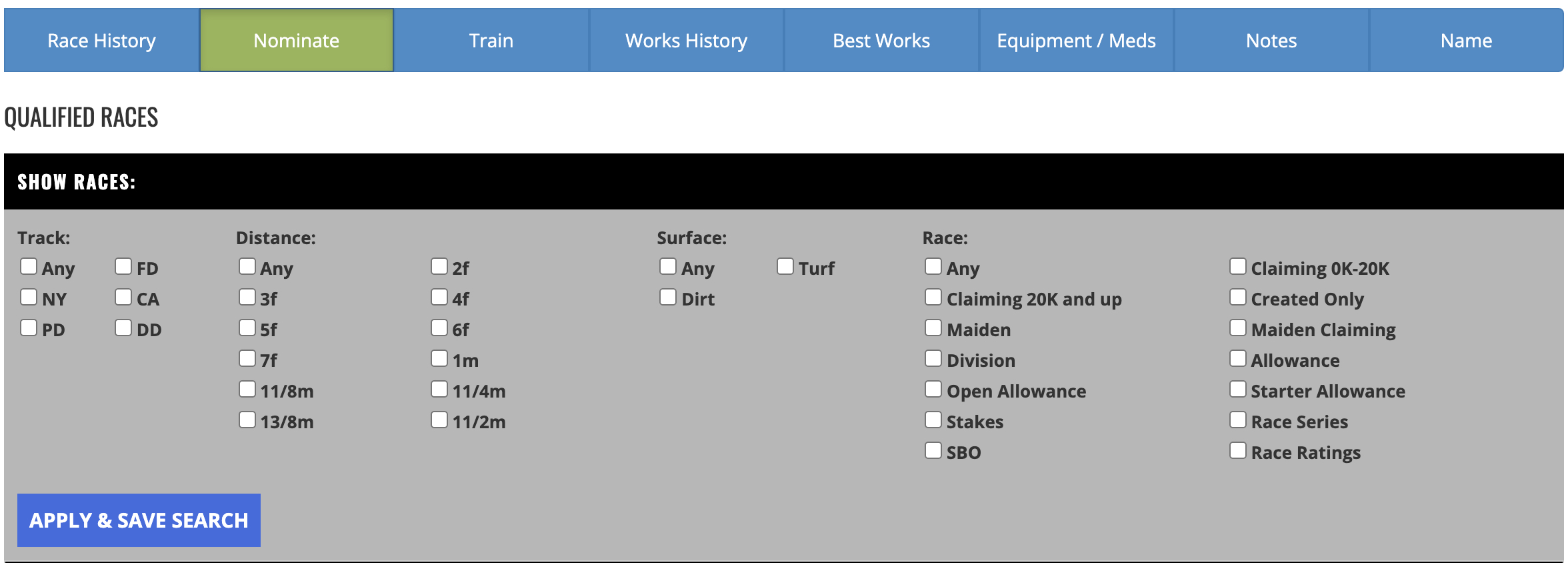
Once you save and apply filters under nominate tabe a full list of eligible races will populate below based on the preferences saved.
Step 3 - Entering a race
Now that we saved our horse’s preferences, let’s enter a race. There’s two ways to do this:
- Stay on the horse stats page under the nominate tab and select from races that have auto-populated based on the saved preferences.
- Go to the Racing Office tab and choose "Enter Races Multi" this will take you to the race schedule for all horses and you can choose a race your are interested in. Once the race is chose it will then only show you whathorses are eligible for that race. At that point you can enter multiple horses in the selected race.
Step 4 - Selecting Jockeys
You get to select 3 jocks in order of preference
You can also save a jockey set or multiple sets
It can be useful to save multiple jockey sets per track. Each time you nominate a horse you can just load the jockey set and skip the drop down menu jockey selection process
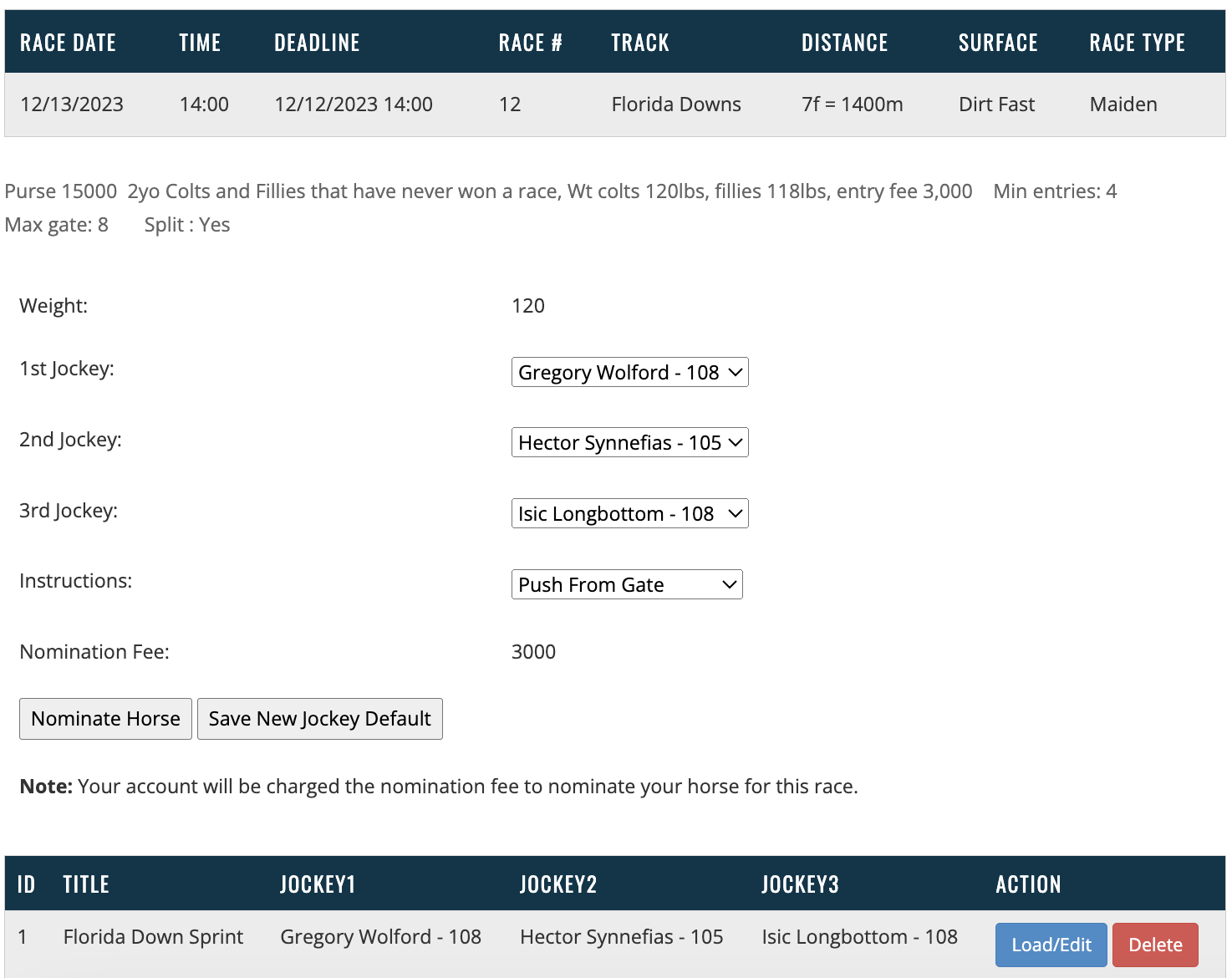
Step 5 - Nominate
Once you click nominate, the horse is officially nominated for the race. The race is still open for entries until the posted race closing time occurs. At the time of closing gate position and jockeys will be assigned.
Things to consider when entering a race
- Track surface condition
- Fast
- Good
- Muddy
- Firm
- Yielding
- Soft
- Track Speed, Track Size and Turning Radius
- Mile tracks
- Wider or Tighter Turns
- 5 Tracks with Different Natural Surface Speeds
- Firm
- Distance
- 2F-3F Quarter Horses
- 4 Furlong Sprint
- 5 Furlong Sprint
- 6 Furlong Sprint
- 7 Furlong Classic
- 8 Furlong / 1 Mile Classic
- 9 Furlong / 11/8 Mile Classic
- 10 Furlong / 11/4 Mile Route
- 11 Furlong / 13/8 Mile Route
- 12 Furlong / 11/2 Mile Route